LibreOffice Writer
Open-source label sheets and business cards
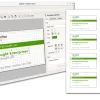
GLabels is a free label and business card designer for sheet-based printing, but its legacy branch is aging and the newer Qt rewrite has no official release yet.
Open-source label sheets and business cards
Online label templates for Avery products
Business barcode and label automation
Browser-based labels with mail merge
Desktop barcode and product label printing
Brother label-printer design software
DYMO printer label creation
GLabels is a small label and business card designer originally popular on Linux desktops. It is useful for sheet-based address labels, name tags, price tags, CD/DVD labels, simple barcodes, and CSV-driven merge printing. Alternatives are worth comparing if you need current maintenance, easier template libraries, cloud access, commercial printer support, barcode automation, or a tool that works smoothly outside a Linux desktop.
GLabels Label Designer is a free GUI program for designing and printing labels and business cards. Its templates target regular label sheets used with laser and inkjet printers, and projects can include text, images, shapes, lines, barcodes, and basic document merge from external data such as CSV files.
Users may compare alternatives because the legacy 3.x branch is old, gLabels 4 is still a development project, and some workflows need better support for Windows or macOS, cloud collaboration, modern templates, label-printer hardware, retail barcode rules, or business-grade approval and audit controls.
GLabels is free/open-source software. The active gLabels-qt project is GPL licensed; verify the current branch and packaging source before deployment.
Use official project pages, Flathub, distro repositories, or verified vendor websites. Avoid unofficial installers that bundle adware or unrelated printer utilities.
Last updated: 2026-07-03
Source review records support this guide. Features, pricing, platform support, and availability can still change after publication.
Compare the product information currently available, then confirm current features, plans, and availability with each provider.
| Tool | Best for | License | Platforms | Pricing note | Links |
|---|---|---|---|---|---|
| LibreOffice Writer | Open-source label sheets and business cards | Free, Open Source, Commercial | Windows, macOS, Linux | LibreOffice is free to download; app-store builds and support services may differ. | View guide for LibreOffice Writer |
| Avery Design & Print | Online label templates for Avery products | Free | Web | Avery describes the design software and templates as free; product and printing costs vary. | Official site for Avery Design & Print |
| Maestro Label Designer | Browser-based labels with mail merge | Free, Freemium | Web | Free access is available, but watermark-free printing may require an activation code or purchase. | Official site for Maestro Label Designer |
| Label LIVE | Desktop barcode and product label printing | Trial, Commercial, Paid | Windows, macOS | Official pages show one-time and subscription license options; verify current plan limits. | Official site for Label LIVE |
| Brother P-touch Editor | Brother label-printer design software | Free | Windows, macOS | The editor is described as free; compatible Brother printer hardware and consumables are separate. | Official site for Brother P-touch Editor |
| DYMO Connect | DYMO printer label creation | Free | Windows, macOS, iOS, iPadOS | Official software downloads are provided for supported DYMO devices; hardware and labels are separate. | Official site for DYMO Connect |
| BarTender | Business barcode and label automation | Subscription, Trial, Commercial | Web, Windows | Official pricing uses paid plans and quote-led options; verify edition and deployment needs. | Official site for BarTender |
| Loftware Cloud / NiceLabel | Enterprise label design and management | Subscription, Trial, Commercial | Web, Windows | Commercial licensing and demos are emphasized; verify current NiceLabel and Loftware Cloud packaging. | Official site for Loftware Cloud / NiceLabel |
| Scribus | Open-source print layout and business cards | Free | Windows, macOS, Linux | Free/open-source software; use official project pages or trusted package sources. | Official site for Scribus |
| Canva Label Maker | Visual label and sticker design online | Subscription, Freemium, Commercial | Web | Canva offers free and paid plans; premium assets, Pro features, and printing costs vary. | Official site for Canva Label Maker |
Options carrying a Free, Freemium, or Open Source label on this page include LibreOffice Writer, Avery Design & Print, Maestro Label Designer, Brother P-touch Editor, DYMO Connect. Free access, file-size limits, page limits, OCR limits, batch-processing limits, offline access, commercial-use terms, and paid features can change, so confirm current details with each provider.
Best for: Open-source label sheets and business cards
LibreOffice Writer includes a Labels workflow for creating label and business card sheets, including many commercial sheet formats and user-defined formats. It is a practical replacement when the user wants a maintained open-source desktop suite rather than a dedicated label-only app.
Pricing: LibreOffice is free to download; app-store builds and support services may differ.

Best for: Online label templates for Avery products
Avery Design & Print is a web-based label design tool built around Avery templates and printable products. It suits users who want a guided online editor, ready-made label layouts, image upload, and a smoother path from choosing a stock number to printing at home or ordering printed labels.
Pricing: Avery describes the design software and templates as free; product and printing costs vary.

Best for: Browser-based labels with mail merge
Maestro Label Designer from OnlineLabels is an online label designer with templates, mail merge, barcode and QR tools, and home or professional printing options. It is useful for small businesses and crafters who buy OnlineLabels stock or want a browser-based label workflow.
Pricing: Free access is available, but watermark-free printing may require an activation code or purchase.

Best for: Desktop barcode and product label printing
Label LIVE is a desktop label design and printing app for macOS and Windows. It focuses on practical label printing from spreadsheets, barcodes, product labels, shelf tags, and thermal or office printers, making it a stronger fit than gLabels for mixed printer environments.
Pricing: Official pages show one-time and subscription license options; verify current plan limits.

Best for: Brother label-printer design software
Brother P-touch Editor is Brother's label design software for supported P-touch and mobile label printers. It is not a general label-sheet editor, but it is a sensible alternative for users whose main need is printing custom labels, barcodes, assets, folders, and office labels on Brother hardware.
Pricing: The editor is described as free; compatible Brother printer hardware and consumables are separate.
Best for: DYMO printer label creation
DYMO Connect is DYMO's official software for creating, saving, and printing labels with supported LabelWriter and LabelManager devices. It is hardware-specific, but useful for offices that mainly need quick address, folder, inventory, and shipping-style labels from DYMO printers.
Pricing: Official software downloads are provided for supported DYMO devices; hardware and labels are separate.

Best for: Business barcode and label automation
BarTender is a commercial barcode, RFID, and label design platform aimed at business and regulated printing workflows. It is more complex than gLabels, but relevant for teams that need printer support, data connections, template control, automation, audit trails, and cloud or Windows deployment.
Pricing: Official pricing uses paid plans and quote-led options; verify edition and deployment needs.

Best for: Enterprise label design and management
Loftware Cloud and NiceLabel cover label design, barcode printing, label management, and enterprise workflow needs. They are better suited to businesses that need centralized templates, browser-based design, compliance controls, and connected labeling across sites rather than a simple desktop sheet editor.
Pricing: Commercial licensing and demos are emphasized; verify current NiceLabel and Loftware Cloud packaging.

Best for: Open-source print layout and business cards
Scribus is an open-source desktop publishing app rather than a dedicated label program. It can still work well for precise printed layouts, business cards, packaging mockups, and custom label sheets when users are comfortable setting up page geometry and using external templates.
Pricing: Free/open-source software; use official project pages or trusted package sources.
Best for: Visual label and sticker design online
Canva's label maker is a web-based design option with editable templates, drag-and-drop editing, brand assets, and print ordering options. It is less technical than gLabels and works best for visual product labels, stickers, packaging labels, and small-business marketing designs.
Pricing: Canva offers free and paid plans; premium assets, Pro features, and printing costs vary.
The best option depends on your workflow, platform, budget, and required features. Options currently listed include LibreOffice Writer, Avery Design & Print, Maestro Label Designer.
Yes. Free, freemium, or open-source options in this list include LibreOffice Writer, Avery Design & Print, Maestro Label Designer, Brother P-touch Editor, DYMO Connect.
The alternatives in this list include options for Web, Windows, macOS, iOS, iPadOS, Linux, depending on each product.
When reliable community signals are not available, the list should be read as a comparison set rather than a definitive ranking. Compare platform support, licensing, product details, and official provider information.
Alternative.tips is an independent alternatives directory. Product names, logos, pricing, features, and availability belong to their respective owners. Check the linked provider before downloading, subscribing, or purchasing.